
Submitted
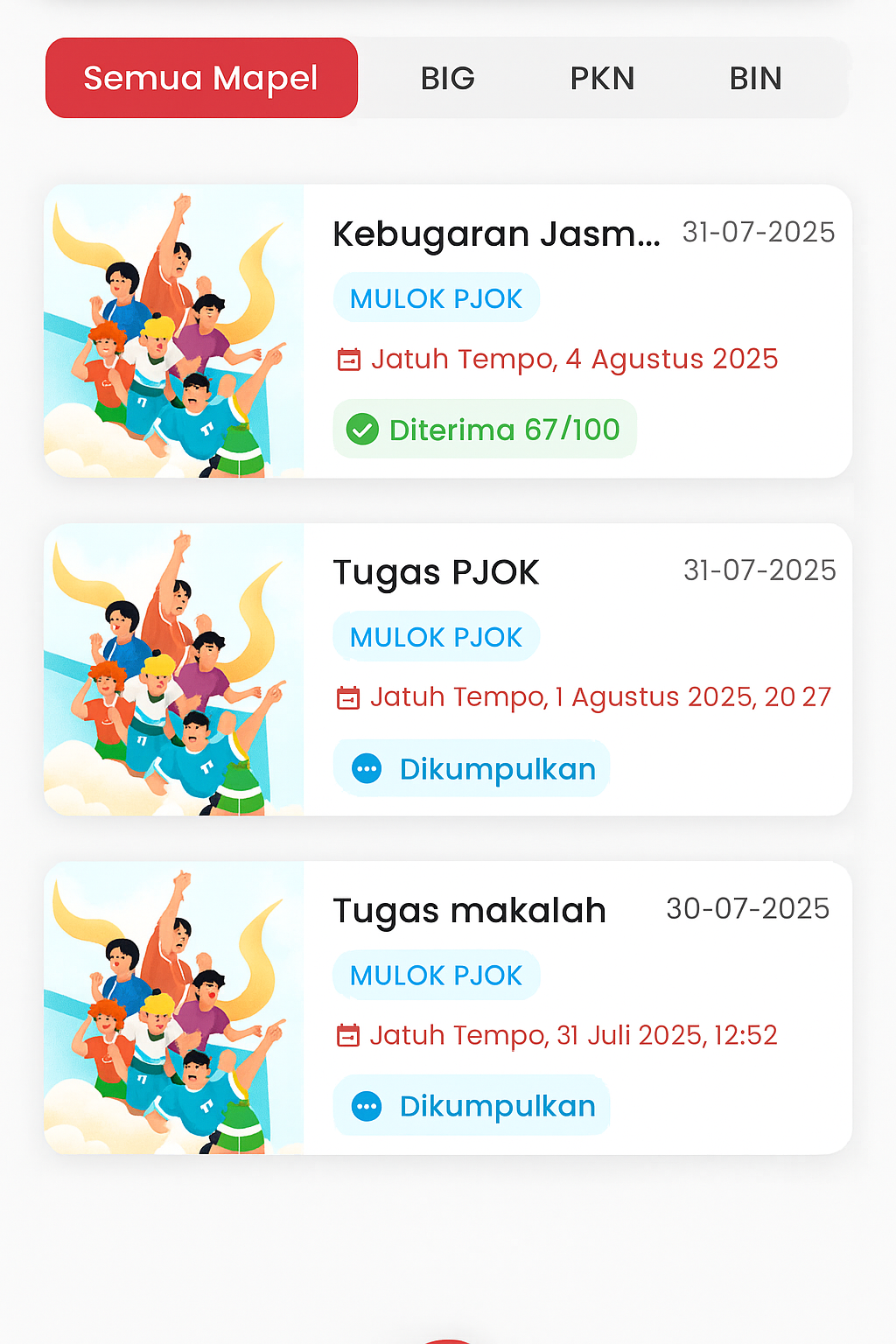
Assignments Page (Student)
The Assignments page is designed to make it easier for students to monitor all assignment activities related to learning. This view consists of two main parts: Assigned and Submitted, which can be accessed through the top navigation tabs.
Key Features:
-
Subject Filter: Students can select "All Subjects" or directly filter by subjects such as BIG, PKN, BIN, and others to focus on specific assignment searches.
-
Assignment List: Displays assignments based on the collection date and work status:
- Assignment Title: Concise and clear.
- Subject: Labeled in light blue for high visibility.
- Due Date: Equipped with a calendar icon to highlight the deadline.
- Status:
- Received [grade] – indicates the assignment has been graded.
- Submitted – the assignment has been sent but not yet graded.
-
Interactive Design:
- Illustrations for each assignment make the interface more attractive and informative.
- Assignment status and colors are adjusted so students can quickly distinguish between those that are finished and those still in process.
- Bottom navigation remains available for quick access to other pages (home, tasks, and other main menus).