
Daily Class Schedule
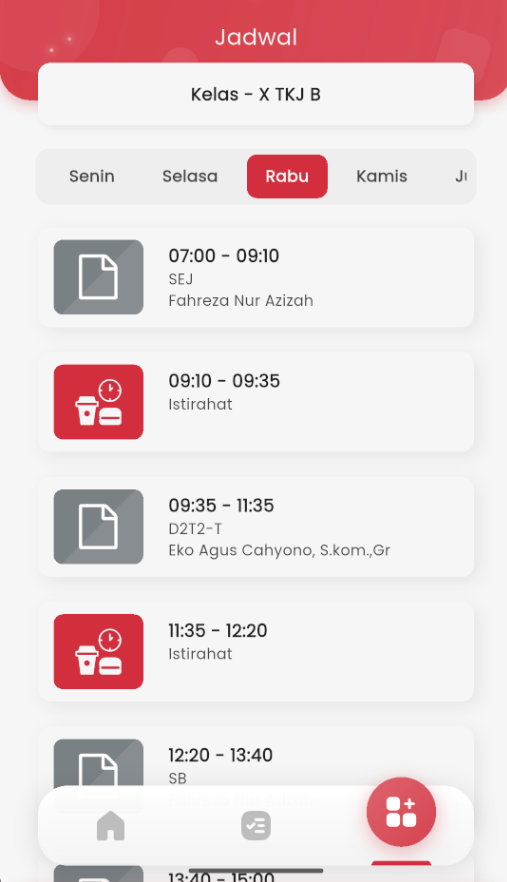
On the Schedule page, you can see the lesson arrangement based on the days of the week. This view helps students know which lessons to attend that day, who the teacher is, and when breaks take place.
Day Navigation
The top of the page is equipped with day tabs: Monday, Tuesday, Wednesday, Thursday, Friday, Saturday. Simply tap the desired day, and the lesson list for that day will be displayed immediately.
Schedule Information
Each session is displayed in card format containing:
- ⏰ Lesson time (e.g.: 07:00 – 09:10)
- 📖 Subject name (e.g.: SEJ, SB)
- 👩🏫 Assigned teacher's name
- ☕️ A special card labeled Break will appear between lessons, so students know when breaks start and end.
Auto-Filtered Classes
The displayed schedule is automatically filtered according to your class. At the top, you will see a label like “Class – X TKJ B”, so you don't need to select the class manually.
With a neat and responsive interface, this feature is designed to help students easily understand the lesson schedule, prepare themselves, and manage their study time every day — directly from their palm.