
Student Attendance
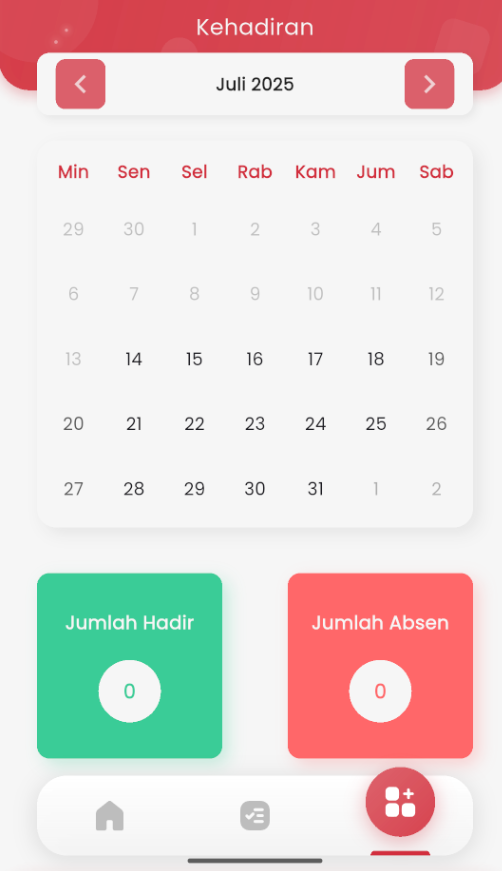
The Attendance page in the eSchool Mobile app is designed to help students independently monitor their monthly attendance history. This feature provides a simple yet informative visual overview of daily school attendance records.
Calendar Navigation
Students can navigate between months using the left and right arrow icons at the top. The calendar is displayed in a monthly format so students can see their attendance activity comprehensively.
Daily Attendance Indicators
Each date in the calendar displays the attendance status. Usually marked with specific colors or symbols (depending on implementation), for example:
-
🟢 Present
-
🔴 Absent
-
🟡 Excused
-
⚪️ Empty (no data)
Monthly Attendance Summary
Below the calendar, there are two information cards:
-
Total Present: Total days the student attended during that month.
-
Total Absent: Total absences for the student in that month.
This feature helps students become more responsible for their attendance and provides awareness of their discipline level recorded in the school system.