
Child Class Schedule
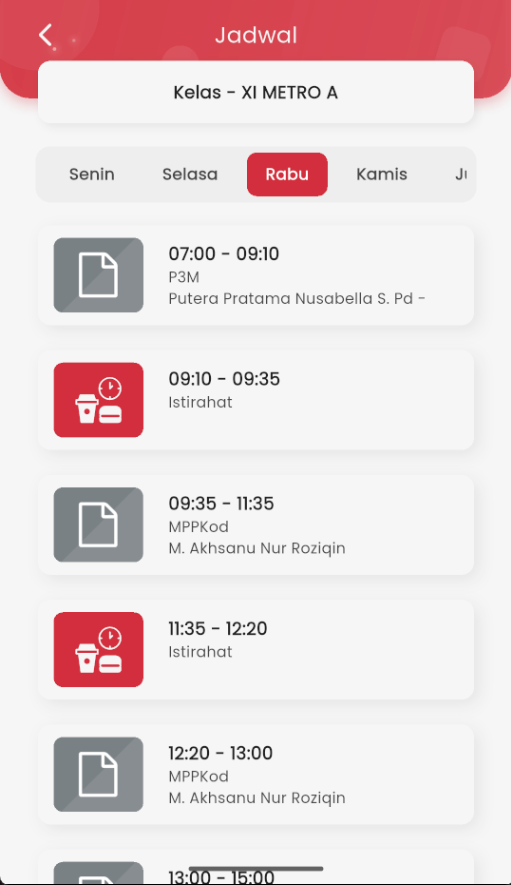
Through the Schedule page, parents/guardians can monitor the child's daily learning activities. This feature displays the lesson arrangement, time, and assigned teacher's name for each session.
Child's Class Display
At the top, there is a label for the child's class name, such as "Class – XI METRO A". The system automatically displays data according to the child being monitored, so you don't need to select the class manually.
Day Navigation
Use the day tabs (Monday to Saturday) to see the schedule for respective school days. The schedule will change according to the selected day, showing all learning sessions for that day.
Schedule Information
Each schedule row contains:
- Lesson time (e.g.: 07:00 – 09:10)
- Subject name (e.g.: P3M, MPPKod)
- Assigned teacher's name
- Break blocks are clearly displayed with a 🍴 icon to separate break times from learning sessions.
This feature helps parents easier understand the child's daily learning activities and can be used to support home learning readiness.