
Subject Attendance
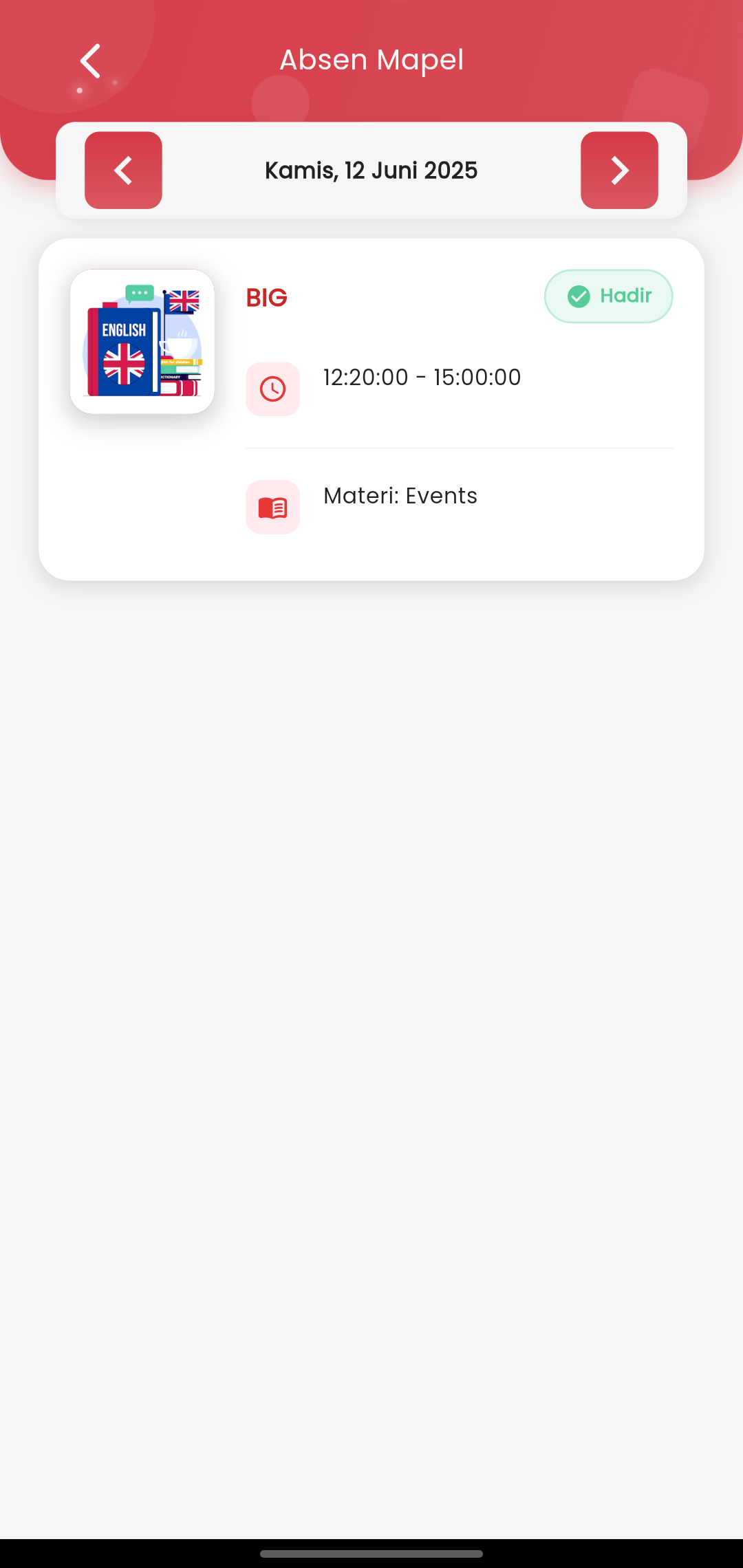
Subject Attendance – Detailed Monitoring of Child's Attendance
The Subject Attendance page for parents/guardians is designed as a means to monitor student attendance in detail based on the daily lesson schedule. With a neat and intuitive visual interface, this page gives a complete overview regarding the child's learning activities while at school.
Day and Date Display
- Parents can view attendance data based on a specific date.
- The date is displayed at the top of the page and can be easily navigated using the left and right arrow buttons.
- The date is adjusted to the active academic calendar, so parents only see data on school days.
Provided Information
Each information block presents:
- Subject Name (Example: BIG - English) displayed clearly.
- Student Attendance Status: A green “✅ Present” label will appear if the child is present in that subject.
- Lesson Time: Displayed in a time range (e.g., 12:20 – 15:00), helping parents know their child's active time at school.
- Learning Material: Displays the topic or content of the lesson studied by the child in that session (e.g., Events), giving parents insight into the child's academic progress.
Focus for Parents/Guardians:
- Facilitates daily monitoring of child attendance without waiting for manual recaps from the school.
- Provides transparent information not only regarding attendance but also ongoing learning content.
- Helps parents establish appropriate communication with the child or homeroom teacher based on the available data.
- Designed to be intuitive even for users not yet accustomed to digital applications.