
Assignment Details
Doing and Submitting Assignments
To work on an assignment in eSchool Mobile, follow these steps:
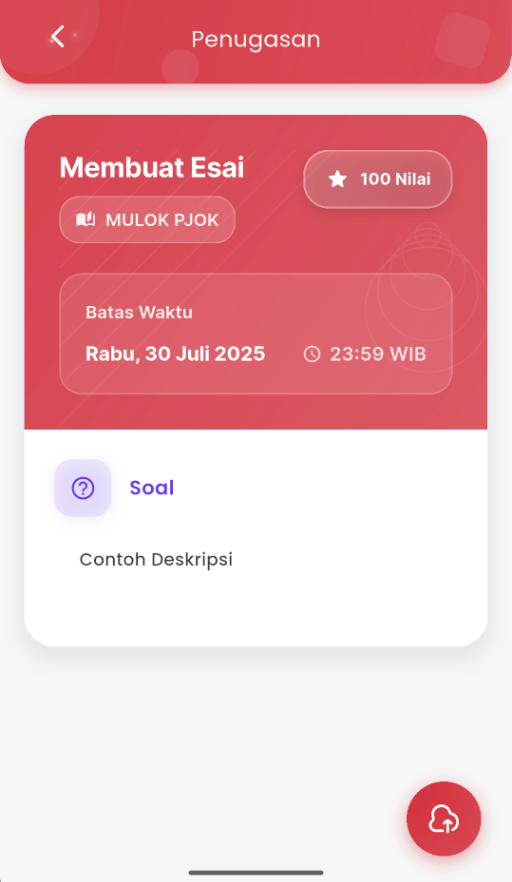
- On the assignment details page, you will see:
- Subject name
- Maximum grade
- Submission deadline
- Description or instructions from the teacher
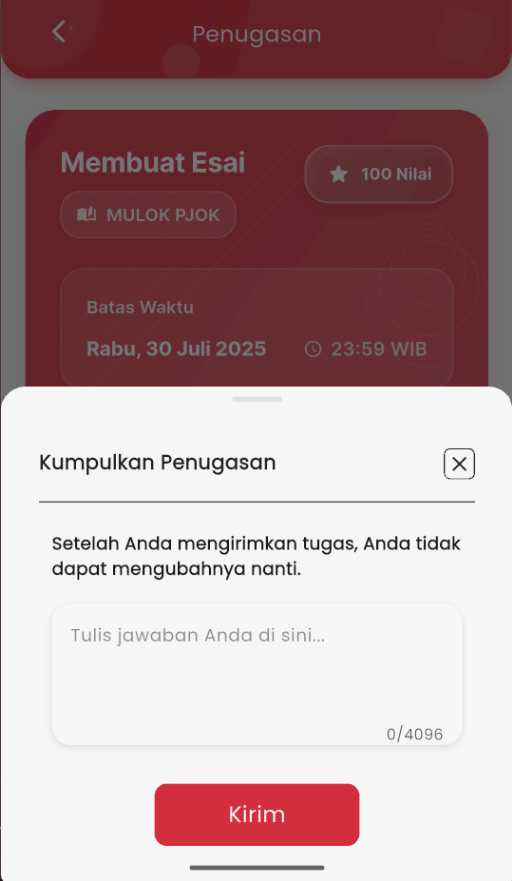
- Press the Submit Assignment button in the bottom right corner to open the submission form.
- Type your answer in the provided column (max. 4096 characters) or upload the assignment as a document if required.
- Press the Send button to finish the submission process.
Once an assignment is sent, you cannot change the answer.
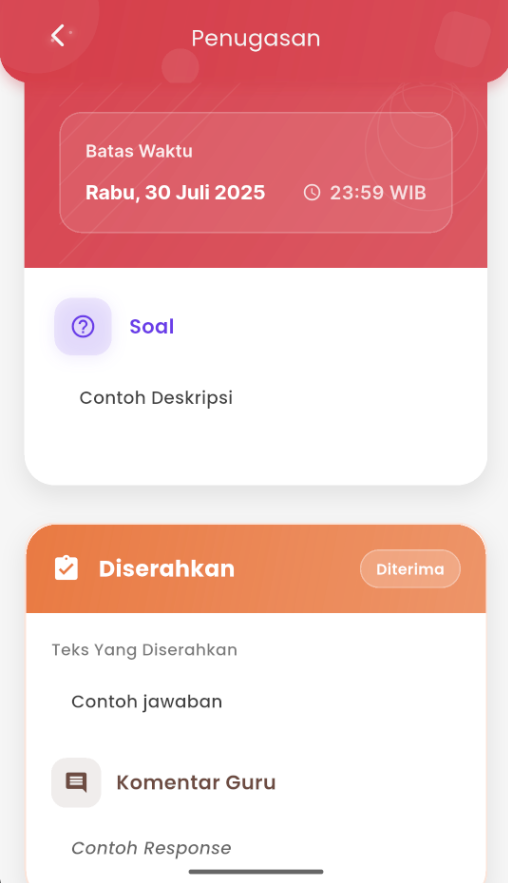
- After successful submission, the assignment status will change to Turned In with a Pending label.
- If the assignment is accepted, the status will change to Received with comments and the grade obtained.
- You can view again:
- The answer that has been sent
- Comments or feedback from the teacher (if available)
This assignment feature makes it easy for students to complete assignments on time and ensures all processes are well-recorded directly from the mobile application.
If you experience issues while sending an assignment, contact the school or visit the eSchool Help Page.