
Online Exams
Online Exams
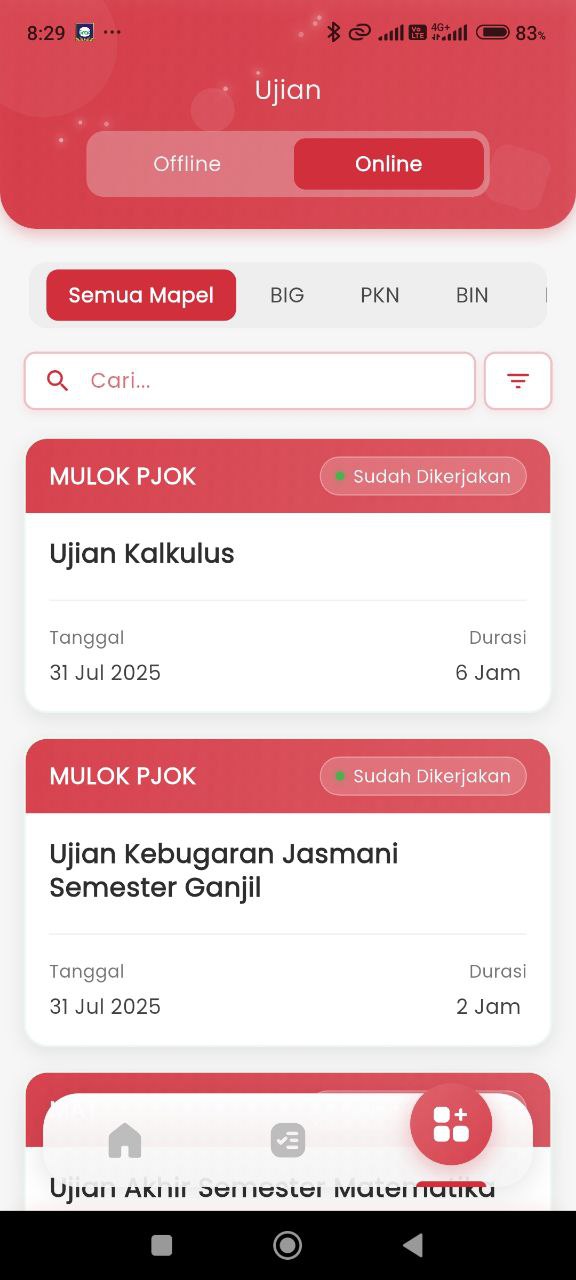
This feature is designed to provide ease for students in monitoring online exam activities that will be/are being held or have been held. The exam display is divided into two main categories: Offline and Online. In this context, users are on the Online tab.
Features:
-
Filters and Navigation
At the top, several important controls are available to filter and search for exams:
- Select Subject: Provides filtering by subject (e.g.: BIG, PKN, BIN).
- Search Field: Facilitates searching for exams by name or specific keywords.
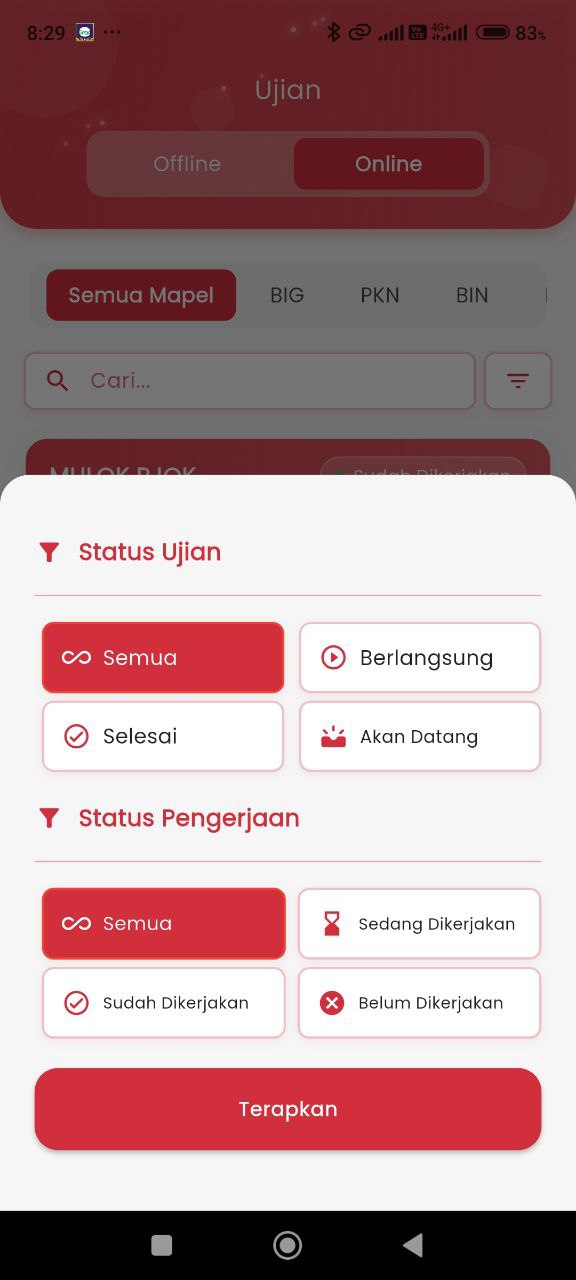
- Status Filter (second image): Allows users to filter by:
- Exam Status: All, In Progress, Finished, Upcoming.
- Participation Status: All, In Progress, Submitted, Not Taken.
-
Online Exam List
Each exam is displayed in an information card containing:
- Exam Name: Such as Calculus Exam or Odd Semester Physical Fitness Exam.
- Subject Category: Listed at the top of the card (e.g.: MULOK PJOK).
- Participation Status: Indicated by badges like Submitted (with a green indicator).
- Exam Date: Information on when the exam is conducted.
- Exam Duration: How long the exam lasts (e.g.: 6 Hours or 2 Hours).
Feature Objectives
With this feature, students can:
- Monitor the online exam history of the student.
- Know the participation status in real-time.
- View the subject and implementation date quickly.
- Use filters to focus on exams that are in progress, not taken, or finished.