
Submission
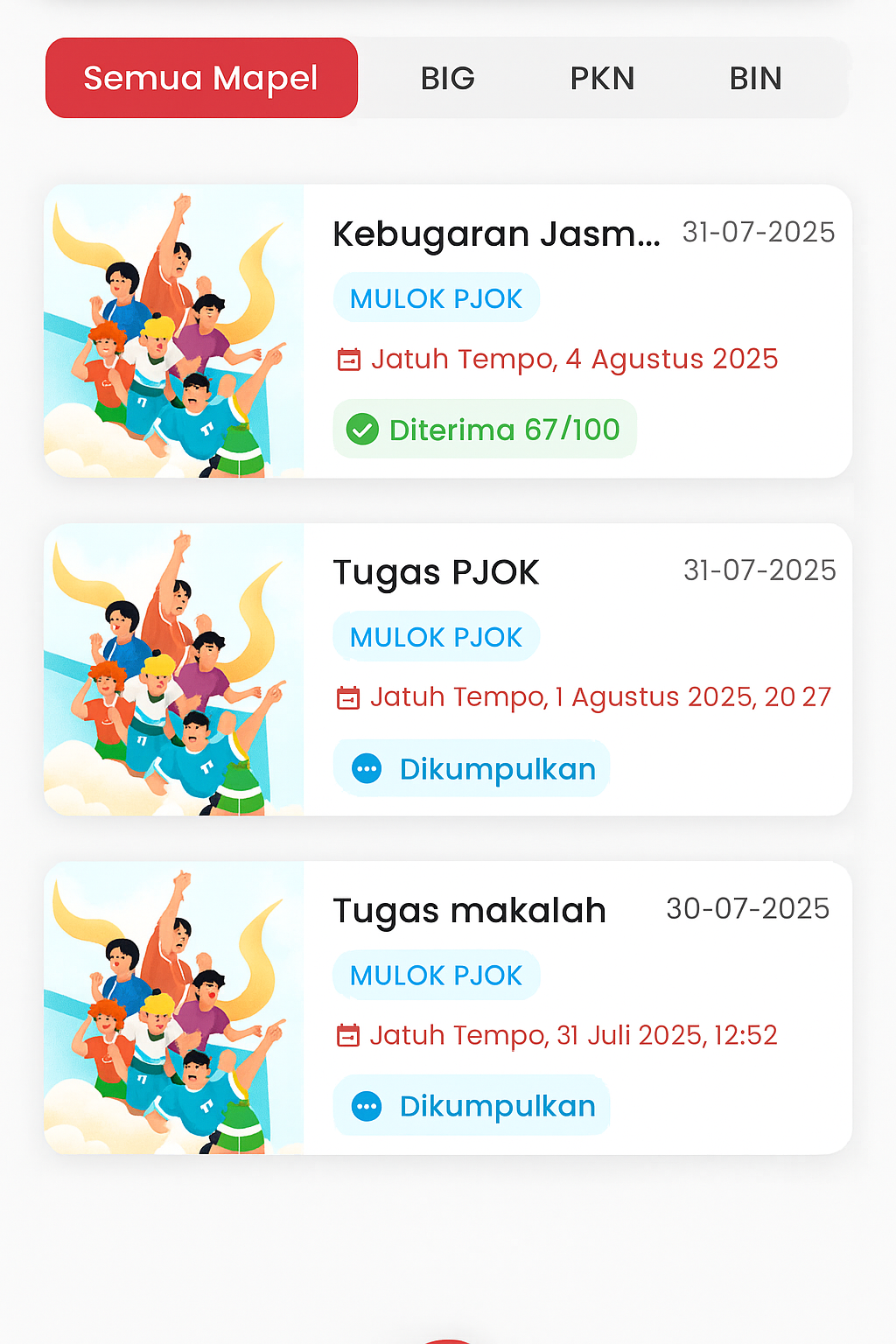
Assignments Page (Guardian)
The Assignments page is designed to provide complete information to the parent or guardian of the student regarding all assignment activities completed by their child. This view is divided into two main parts: Assigned and Submitted, each showing the current status of the student's assignments.
Core Features:
- Assigned Tab: Displays a list of assignments that the student still needs to complete. This information helps guardians know the child's unfinished responsibilities.
- Submitted Tab: Displays a list of assignments already sent by the student. Some assignments are also accompanied by grading status such as:
- Received 67/100: Means the assignment has been checked by the teacher and graded.
- Submitted: Means the student has sent the assignment, but it has not yet been graded by the teacher.
- Subject Filter: Parents can view assignments based on subjects like English (BIG), Civics (PKn), Indonesian (BIN), and others. This feature facilitates specific monitoring for certain subjects.
Additional Information for Every Assignment:
- Assignment Title & Subject are displayed clearly.
- Submission Date (Deadline) is displayed complete with the hour so guardians can remind the child in time.
- Visual Illustrations help distinguish one assignment from another and make the interface more informative.
Purpose of This Page
This feature provides full transparency to the parent/guardian regarding the child's academic progress, encouraging collaboration between the school and family in supporting the student. Parents can not only monitor but also support the child to complete assignments on time and evaluate learning outcomes periodically.