
Assigned
Child's Assignment List (Guardian)
Monitor Child's Academic Assignments in Real-Time
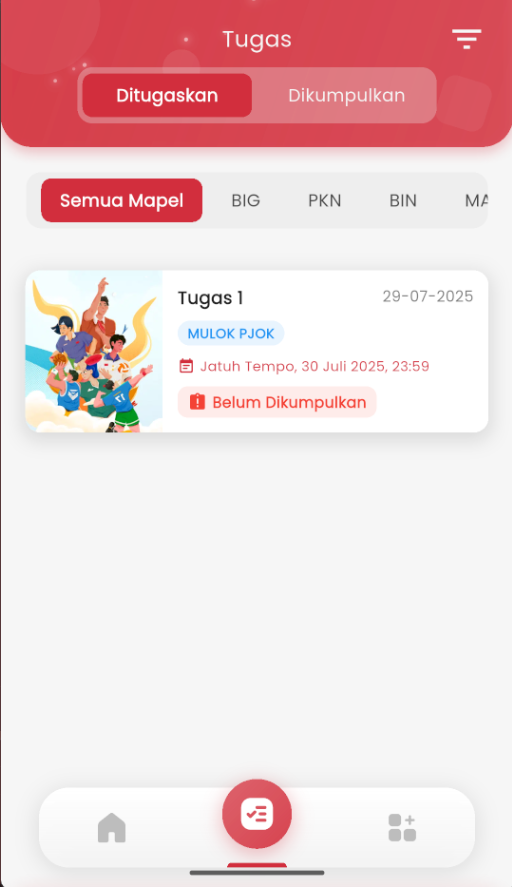
The Assignment List feature on the parent portal makes it easy to view and monitor all assignments received or submitted by the child. This page presents data transparently and structurally so that parents can be more involved in supporting the child's learning process at home.
View Divided into Two Tabs:
-
Assigned: Displays a list of assignments that still need to be completed by the child. Assignments are displayed based on:
- Subject name
- Assignment title
- Submission date (deadline)
- Not submitted status → Parents can see which assignments the child still needs to work on.
-
Submitted: Displays assignments that have been completed and submitted by the child. Available information:
- Assignment status (submitted / graded)
- Final grade if already corrected by the teacher → Parents can monitor the results and progress of the child's grades from each assignment.
Supporting Features:
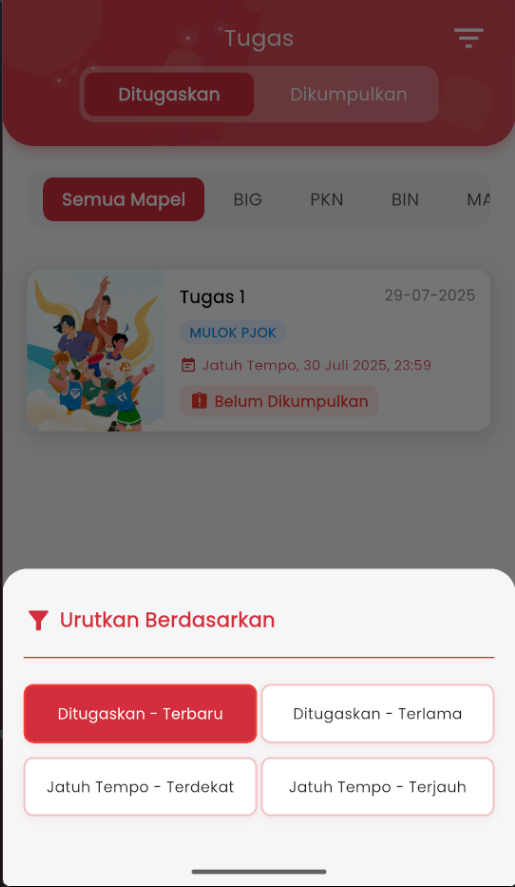
- Filter by Subject: Parents can filter the assignment list by subjects such as English, Indonesian, Religion, and others.
- Concise Visual Display: Icons, color labels, and a concise design help users easily distinguish between active and completed assignments.
Benefits for Parents:
- Provides full control and transparency over the child's academic responsibilities.
- Facilitates evaluation and communication with the child or homeroom teacher regarding learning progress.
- Supports the role of parents as active companions in the educational process.